AI video generation has gone from a novelty to a core creative tool in just a couple of years. What used to require expensive cameras, editing software, and hours of post-production can now happen in minutes with a text prompt and a single image.
But with so many platforms available, choosing the right one is not straightforward. Some offer access to powerful AI models but bury them behind cluttered dashboards and confusing settings. Others keep things simple but fall short on quality or model variety.
We tested seven of the most popular AI video generator platforms to find out which ones actually deliver. We uploaded the same set of images, used similar prompts, and compared the results across each tool. Here is how they ranked.
Chapters
What We Evaluated
Before diving into the rankings, here is what we looked at for each platform:
- Model variety: Does the platform offer access to leading AI video models like Google Veo, Kling, Runway, MiniMax, and Sora?
- Ease of use: How quickly can a new user go from signing up to downloading a finished video?
- Output quality: Are the results smooth, cinematic, and free of common AI artifacts?
- Key features: Does it support image-to-video, text-to-video, first and last frame control, reference images, and audio generation?
- Value for money: Is the pricing transparent and reasonable for individual creators and small teams?
1. getimg.ai
getimg.ai stands out for one reason that matters more than anything else: it gives you access to every major AI video model in a single, clean interface.
The platform supports Google Veo 3.1, Kling, MiniMax, ByteDance Seedance, Wan, Sora 2, and Runway Gen-4. Instead of subscribing to each tool separately, you can switch between them depending on what your project needs. When we tested it, jumping between models took seconds rather than requiring a new login or workflow.
The Image to Video tool is where getimg.ai really shines. Upload a starting image, write a prompt describing the motion you want, and the platform generates a polished clip in minutes. Several models also let you upload both a first and last frame, giving you precise control over how the video begins and ends.
The reference images feature goes even further. You can upload up to four images of specific people, objects, or places and call them into the scene through your prompt. This kind of director-level control is rare on platforms this simple to use.
The workflow is three steps: write a prompt, upload an image, hit generate. No tutorials, no buried settings, no learning curve. During our testing, this was the only platform where we got a usable video on the very first attempt without adjusting any advanced settings.
With over 10 million users and a track record of adding new models the moment they launch, getimg.ai delivers the strongest balance of model variety and usability.
One limitation worth noting is that the platform is focused purely on generation. It does not include a built-in video editor for trimming or stitching clips together. For most creators, this is a non-issue since dedicated editors handle that better. But it is worth knowing upfront.
Best for: Creators who want top-tier AI models with the fastest, simplest workflow available.
2. Runway
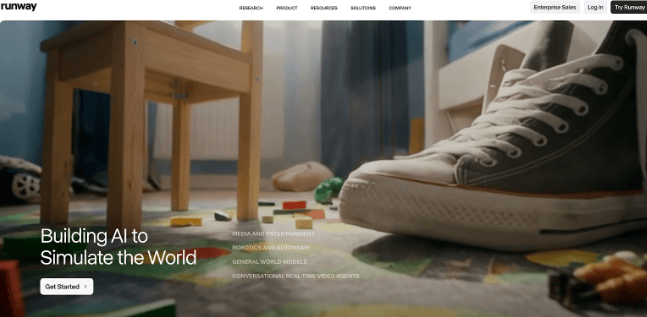
Runway has been a pioneer in AI video and continues to push boundaries with Gen-4 Turbo. It is well-known among filmmakers and creative professionals for delivering cinematic results with fine-grained control.
The platform supports text-to-video and image-to-video workflows, along with Act-Two, a feature that lets you animate characters by acting out a scene on camera. The motion transfer technology is genuinely impressive for character-driven content.
However, Runway operates primarily with its own proprietary models. You will not find third-party options like Veo, Kling, or Seedance here. The pricing also adds up quickly, as credits are consumed fast on higher-quality outputs.
The interface is built for professionals. It is powerful, but new users should expect a learning curve before producing their best work.
Best for: Professional filmmakers and animators who need advanced character animation and motion control.
3. Pika
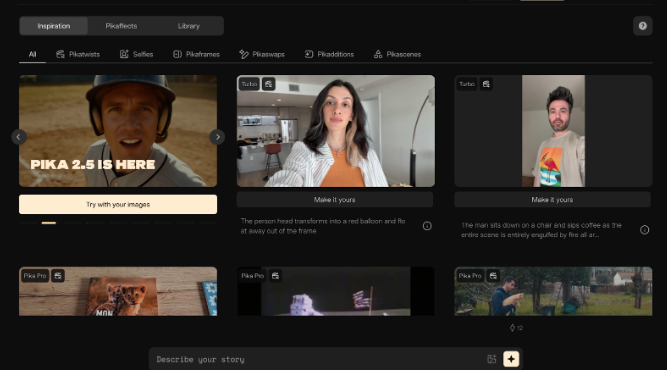
Pika carved out its niche early with a focus on making AI video accessible and fun. The platform runs on its own proprietary models (currently Pika 2.2) and focuses on creative effects rather than photorealistic output.
What makes Pika stand out are its unique editing tools. Pikaffects lets you apply creative transformations like inflating, melting, or exploding objects. Pikaswaps allows you to replace specific elements within a clip. Pikaframes helps connect multiple clips into a smooth sequence. These are genuinely creative tools you will not find elsewhere.
Output quality is solid for social media content. Videos render at up to 1080p with noticeably smoother motion than earlier versions. However, if you are after cinematic realism, Pika still trails behind platforms offering frontier models like Veo 3 or Kling 2.5.
Pika offers a free plan without watermarks, making it a great entry point for creators who want to experiment before committing.
Best for: Social media creators who want fast, effects-driven short clips for TikTok, Reels, and Shorts.
4. Krea
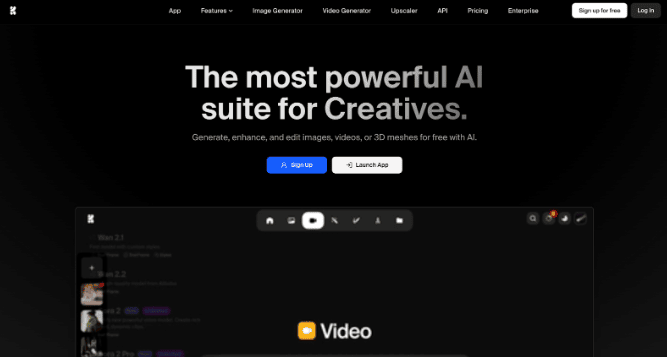
Krea positions itself as a full creative suite covering images, video, 3D, and even real-time generation. It offers access to many of the same AI video models you will find on getimg.ai, including Veo 3, Kling, Sora 2, Wan, and Runway.
The model variety is strong. However, the experience of actually using those models is where Krea falls behind. The video generation screen presents a wall of settings: aspect ratio, duration, resolution, motion intensity, keyframes, audio toggles, and model-specific parameters all appear at once. For experienced users, this is fine. For anyone else, it can feel overwhelming.
During our testing, it took noticeably longer to configure and generate a video on Krea compared to simpler platforms. The results were comparable in quality, but the extra time spent navigating settings added friction to the workflow.
Credit costs for video are also steep. A single clip can consume over 1,000 compute credits, which means careful planning on tighter budgets.
Best for: Power users who want a creative suite and are comfortable navigating a feature-dense interface
5. OpenArt
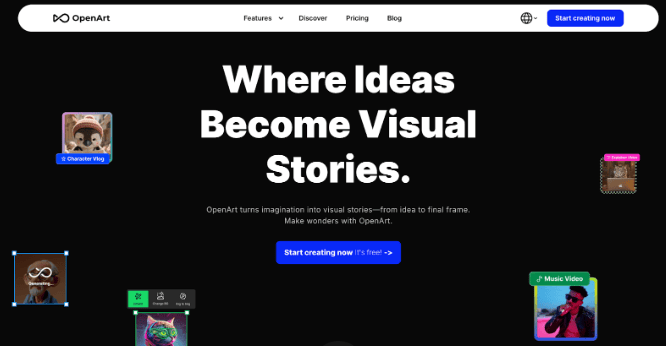
OpenArt started as an AI image generation platform and has expanded aggressively into video. It now supports models like Kling 3.0, Veo 3, Seedance, Wan, Pika, and more. On paper, the model selection rivals the best aggregator platforms.
In practice, the experience is more cluttered than it needs to be. OpenArt packs image generators, video generators, model training, community feeds, style presets, and dozens of sub-tools into a single interface. Finding the image-to-video workflow requires navigating past features you did not come looking for.
When we tested it, the video output quality was solid. The Kling and Veo models performed as expected. But the time spent finding the right tool and configuring it correctly was significantly longer than on more focused platforms offering the same models.
Another consideration: videos generated on OpenArt require attribution and a backlink to the platform for commercial use. This may not suit every professional workflow.
Best for: Experimenters who enjoy exploring a wide range of AI tools and do not mind a busier interface.
6. Leonardo AI
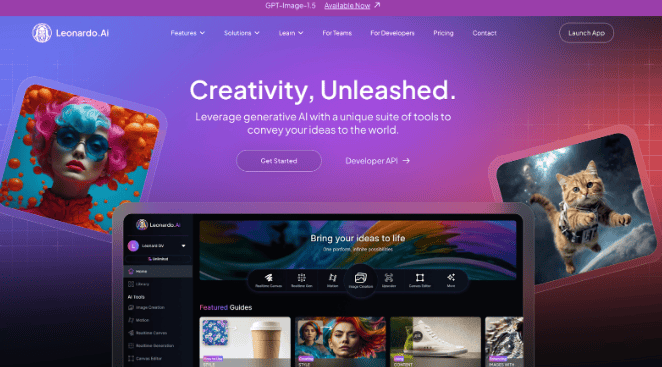
Leonardo AI built its reputation on image generation and has been expanding into video with Motion 2.0 and a Veo 3 integration. Now owned by Canva, the platform brings strong design resources to the table.
For video, Leonardo lets you animate generated or uploaded images with text prompts. Motion 2.0 adds smarter spatial understanding, and the Veo 3 integration brings audio generation into the mix. There is also a Smooth Video toggle for boosted frame rates. With Veo 3 on board, Leonardo now shares one of the same frontier models available on simpler platforms like getimg.ai.
The challenge is that accessing these models is more work than it should be. Video creation is split across the Library, AI Creation tool, and separate Video modals. Instead of one streamlined page, you are hopping between sections to upload an image, select a model, and generate a clip. The same model that takes three clicks on a focused platform requires several more steps here.
The token-based pricing adds another layer of friction. Video generation consumes significantly more tokens than images, and the cost per clip is not always clear until after you have generated it. On the free plan, video options are limited to lower resolutions.
Best for: Existing Leonardo users who want to add motion to their AI-generated images.
7. Freepik
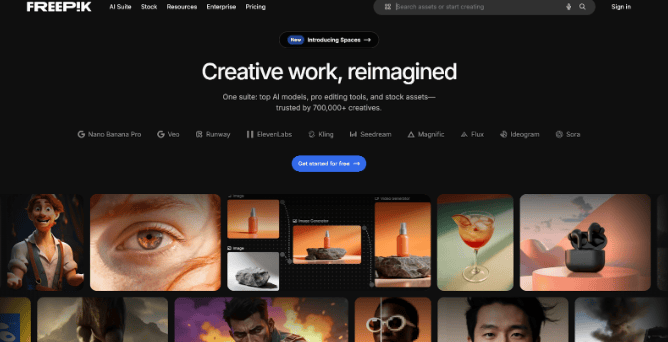
Freepik is best known for its massive stock asset library, but its AI suite now includes a video generator with access to Veo 3, Kling 2.1, Runway Gen-4, MiniMax, PixVerse, Seedance, and others. This is largely the same lineup of frontier models you will find on getimg.ai, which makes the comparison particularly revealing.
Despite offering the same AI engines under the hood, the experience of using them on Freepik feels heavier. The interface tries to serve two audiences at once: stock asset browsers and AI video creators. The result is a layout where video generation tools sit alongside millions of stock photos, templates, and mockup generators. If you come to Freepik specifically for AI video, you will spend time navigating past features designed for a different purpose.
The cost structure is another friction point. A single 8-second video can consume over 25 credits, and users on standard plans have reported running out of their monthly allowance after just a handful of generations. When you can access the same Veo 3 or Kling model on a more focused platform without burning through credits as fast, the value gap becomes hard to ignore.
The mobile app has received mixed reviews as well, with users reporting bugs and limited video generation on free tiers.
Best for: Freepik subscribers who want AI video as one part of a broader design and asset toolkit.
Quick Comparison Table
| Platform | Top Models Available | Image-to-Video | First/Last Frame | Audio Gen | Ease of Use |
|---|---|---|---|---|---|
| getimg.ai | Veo 3.1, Kling, Sora 2, Seedance, MiniMax, Runway, Wan | Yes | Yes | Yes | Very Easy |
| Runway | Gen-4 Turbo (proprietary) | Yes | Yes | Limited | Moderate |
| Pika | Pika 2.2 (proprietary) | Yes | Yes (Pikaframes) | Limited | Easy |
| Krea | Veo 3, Kling, Sora 2, Wan, Runway, Hailuo | Yes | Yes | Yes | Complex |
| OpenArt | Kling 3.0, Veo 3, Seedance, Wan, Pika | Yes | Yes | Yes | Complex |
| Leonardo AI | Motion 2.0, Veo 3 | Yes | No | Yes (Veo 3) | Moderate |
| Freepik | Veo 3, Kling 2.1, Runway, MiniMax, PixVerse | Yes | Yes | Yes | Moderate |
Which AI Video Generator Should You Pick?
Every platform on this list can generate AI videos. The real difference comes down to how quickly you can get great results and how many top models you can access without friction.
If you want the widest model selection paired with the simplest workflow, getimg.ai is the strongest option. It puts every major AI video model at your fingertips without layers of menus, settings, and complexity. For most creators, that combination of power and simplicity is what matters most.
Runway remains a top choice for professionals who need advanced character animation. Pika works well for quick, effects-driven social clips. And platforms like Krea, OpenArt, Leonardo, and Freepik all offer access to leading models, but they tend to trade simplicity for feature density, which makes the experience feel heavier than it needs to be.
As AI video tools continue to evolve, the platform that keeps up with the latest models while staying easy to use will always have the edge. If you are looking to improve your video marketing with AI, the best next step is to try a couple of these tools with your own images and see which one clicks with your workflow.