The report was beautiful. Twelve thousand URLs crawled, every issue colour-coded, ninety-one pages of it, delivered to a client on a Thursday. I found it again three months later, unopened, in a shared Drive folder between a logo file and an old invoice. Nothing in it had been fixed. That is the quiet failure of most SEO audit tools: the analysis is fine, and nobody ever acts on it.
So the question isn’t which tool crawls deepest. It’s which one makes the next move obvious. For most agency and in-house teams, the strongest pick is SE Ranking: its audit doesn’t stop at a list of errors, it scores each issue by severity, writes the fix in plain language, and shows a New versus Fixed comparison you can put in front of a client as proof the site improved. If your work is raw crawl forensics on a migration, Screaming Frog goes deeper on control. Otherwise, here’s how the best SEO audit tools compare.
Chapters
The Audit Nobody Acts On
Most SEO audits fail at implementation, not analysis. The crawler finds the broken canonicals and the orphaned pages; then the report lands, the team is busy, and the fixes never ship. A useful SEO audit tool is measured less by what it detects than by how quickly it tells you what to do first.
An audit that returns four thousand issues in no order is noise, not information. The teams that ship fixes are the ones whose tool ranks findings by impact. That matters more now that clicks are scarce: Pew Research found only about 1% of users click a link inside a Google AI Overview (Pew Research Center, 2025), so a page left broken has fewer chances to be found at all.
The crawl that only sees half the page
A crawler that reads only raw HTML misses everything a page builds with JavaScript, which on a modern framework can be most of the content and most of the links. But over-rendering has its own failure: a crawl that returns four thousand undifferentiated errors buries the ten that matter. Fidelity and focus both count.
An audit can mislead two ways: under-seeing, so your technical SEO audit tool reports a full page as thin, or over-reporting, flagging a missing alt attribute as urgently as a stray noindex on your best page. Core Web Vitals sit in the same bucket: Google treats them as a genuine ranking signal (Google Search Central), with public field thresholds (web.dev), but the data only helps if the report names the template dragging the score down. And with 88% of AI Overview keywords being informational (Search Engine Land, 2025), the content your audit protects is what AI answers now draw from.
The report your client never opens
An audit’s value dies at delivery if the report isn’t legible to the person paying for it. A raw CSV export proves nothing to a marketing director. A shareable view that shows what was broken last month and what’s fixed this month turns SEO audit software into an argument for renewal rather than a file nobody opens.
Reporting is where editorial and technical SEO meet. The reader of an audit report is tired, a little skeptical, and looking for one signal the work is paying off. Give them a New versus Fixed view and a health score climbing over the quarter, and the audit becomes a story with a plot. Around 43% of Google AI Overviews now link back to Google’s own properties (Search Engine Journal, 2025), so the citation slots that remain go to sites that are demonstrably clean.
What actually separates a useful audit tool
The best SEO audit tools separate on five things, and none is raw crawl volume. What matters is whether a tool turns a crawl into decisions: what’s broken, how badly it hurts, how to fix it, and how to prove to a client that it’s fixed. Here’s what I weighted, in order:
- Fix guidance – does each issue arrive with a plain-language instruction and the list of affected pages, or just an error code?
- Render fidelity – does the crawl see JavaScript-rendered content, and at what cost in time and credits?
- Prioritization – are findings ranked by likely traffic impact, or dumped as a flat, equal-weight table?
- Reporting and sharing – can a stakeholder read the output without a login or a translator?
- Scale and cadence – will the SEO audit tool hold up on a large site, on a schedule, without babysitting?
I checked each tool’s audit behaviour and 2026 pricing against its own documentation in July 2026, weighed against the audits my team runs for real client sites.
| Tool | Best for | Audit depth | Fix guidance | Reporting & sharing | Pricing (monthly) |
|---|---|---|---|---|---|
|
1. SE Ranking |
Turning a crawl into a fix list | 115+ checks, 13 categories | Severity-scored, plain-language fixes | PDF + guest links + Looker Studio | From $129/mo |
| 2. Ahrefs | Audits that lean on backlink data | 250+ data points per page | Issue explanations, fewer fix steps | In-platform, exportable | From $129/mo |
| 3. Moz Pro | Readable priorities + DA reporting | Site Crawl + page optimization | Priority ordering + page grader | Clean client-facing views | From $99/mo |
| 4. Sitebulb | Explaining why a fix matters | Several hundred scored Hints | Scored Hints + rationale | Strong visual reports | From $13.50/mo |
| 5. Screaming Frog | Deep, custom crawl forensics | Unlimited checks + custom extraction | Raw data, you prioritize | Manual / spreadsheet export | Free; £199/yr |
| 6. Semrush | Auditing beside a full SEO suite | ~140 checks + thematic reports | Themed issue reports | Dashboards + PDF | From $139.95/mo |
The six tools worth your shortlist
Each card below answers one question: how well does this SEO audit tool turn a crawl into something a team will act on?
1. SE Ranking
SE Ranking’s Website Audit is a cloud tool that treats a crawl as the beginning of a fix list, not the end of a report.
Best for: agencies and mid-market in-house teams that need every audit to end in a prioritized, client-ready set of actions.
Standout feature: Every issue is scored critical, warning, or notice, and each one carries a plain-language fix and the list of pages it affects. The Crawl Comparison view marks issues New or Fixed between runs, so “the site got healthier” stops being a claim and becomes something you can show a client on a single screen.
Pros:
- Scores and explains every issue, so a junior can work the list without a senior translating it.
- Renders client-side JavaScript and reports Core Web Vitals for both desktop and mobile.
- Sorts crawled pages by estimated organic traffic, pointing remediation where lost rankings cost the most.
- Ships shareable PDF and guest-link reports plus a Looker Studio template, with the Website Audit API and MCP on every plan.
Cons:
- Page allowances reset monthly and are tied to your plan, so re-crawling a large site can eat a big share of the quota.
- Rendering JavaScript costs roughly ten times the credits of a plain HTML pass, and it runs slower.
- No native log-file analysis, so confirming what Googlebot actually fetched means adding a separate tool.
Pricing:
Core $129/mo ($103.20/mo billed annually), Growth $279/mo ($223.20/mo annual), Enterprise custom. The API and MCP are included at every tier, and the 14-day trial needs no card.
Where it lands:
For a team whose real problem is follow-through, this is where I’d start. SE Ranking’s Website Audit is built so the crawl ends in an ordered, explainable queue rather than a document nobody opens. Account for the JavaScript credit multiplier, and pair it with a log-file tool if fetch data matters to you.
2. Ahrefs
Ahrefs Site Audit is the crawler you reach for when the audit needs to sit beside the strongest backlink data in the category.
Best for: teams whose audits routinely turn into link and content questions, not just technical fixes.
Standout feature: Site Audit exposes more than 250 data points per page and slices a crawl by crawlability, markup, internal linking, and architecture. Living inside Ahrefs, a technical finding sits one click from the backlink and keyword context that explains why the page matters.
Pros:
- Pairs the audit with the deepest backlink dataset in this list.
- Controls 250+ per-page data points and segmented crawl views.
- Surfaces AI-search and Brand Radar signals on higher tiers.
Cons:
- The audit is one tab in a backlink-first platform; you pay for far more than a crawler.
- Entry-tier page caps are low (25,000 pages), and add-ons stack quickly.
Pricing:
Lite $129/mo ($108/mo annual), Standard $249/mo, up to Enterprise from $1,499/mo; a $29/mo Starter and free Webmaster Tools cover lighter use.
Where it lands:
Ahrefs earns its place when the audit is really a doorway into link and content work. As a standalone website SEO audit, it’s more platform than most teams need.
3. Moz Pro
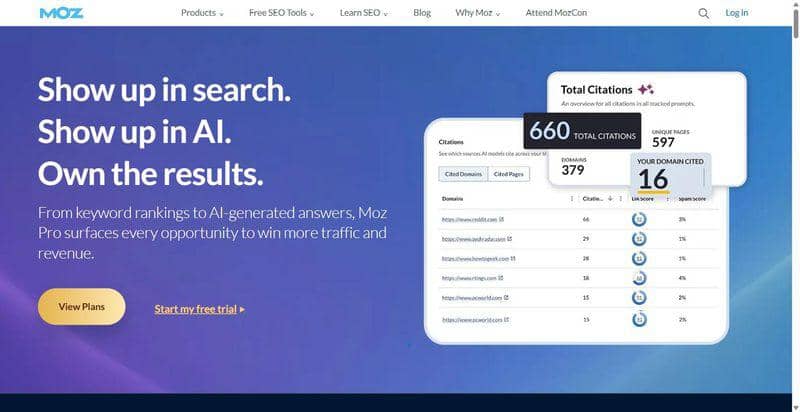
Moz Pro is the approachable end of the category: an audit a mixed marketing team can read without a technical interpreter.
Best for: content-led teams that want clear priorities and a shared metric to report progress against.
Standout feature: Site Crawl pairs issue detection with a Page Optimization score and clear priority ordering, and Domain Authority gives non-specialist stakeholders one number to watch over time. It’s a legible crawl rather than a forensic one, which is often exactly the point.
Pros:
- Orders issues by priority and grades pages for on-page fixes.
- Gives clients Domain Authority as a plain progress metric.
- Runs on an approachable interface with a genuine 30-day trial.
Cons:
- Crawl cadence and depth trail the specialists; it reads closer to monitoring.
- The index and data set are smaller than Ahrefs or Semrush.
Pricing:
Standard $99/mo ($79/mo annual); Starter $49/mo; Medium $179/mo; Large $299/mo.
Where it lands:
Moz Pro is the pick when legibility beats depth, a technical SEO audit tool the whole team can read. On render-heavy templates or million-URL crawls it feels shallow.
4. Sitebulb
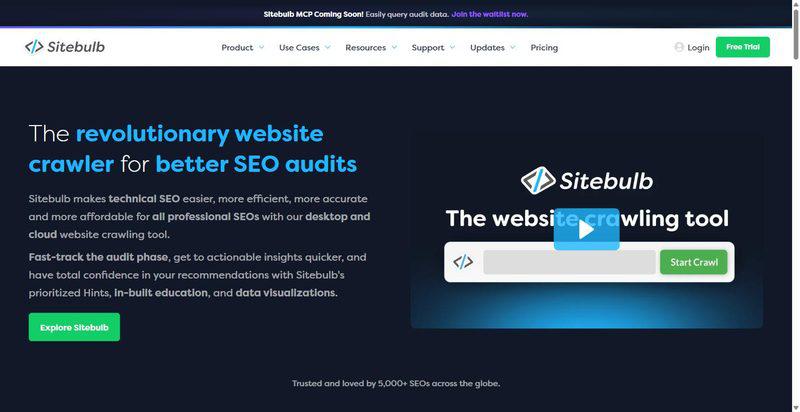
Sitebulb is the tool that best explains itself: every issue arrives with a scored Hint and a reason it matters.
Best for: technical SEOs who want prioritized findings with the rationale attached, ready to paste into a client deck.
Standout feature: Sitebulb attaches a scored Hint to each of several hundred checks, ranked by priority and paired with a plain explanation of why it matters and how to fix it. Its crawl maps draw the link structure, so orphaned and over-deep pages show up as shapes, not rows.
Pros:
- Explains and prioritizes every issue with a scored Hint and rationale.
- Renders JavaScript through its Chrome Crawler, no per-crawl surcharge on desktop.
- Visualizes link depth and internal structure through crawl maps.
Cons:
- No native log-file analysis, so Googlebot fetch behaviour stays out of view.
- Desktop JavaScript crawls on large sites are slow and memory-hungry; cloud pricing climbs sharply.
Pricing:
From $13.50/mo (Lite desktop, 10K URLs/audit); Pro around $35/mo (500K URLs/audit); Cloud around $245/mo (up to 10M URLs/audit).
Where it lands:
Sitebulb is where I send anyone tired of defending their own audit; the Hints do the arguing. At scale, though, the desktop app asks a great deal of your machine.
5. Screaming Frog
Screaming Frog SEO Spider is the desktop crawler most serious technical audits still begin with, and the one that asks the most of its operator.
Best for: hands-on technical SEOs running migrations and deep custom crawls where raw control beats a dashboard.
Standout feature: Custom extraction via XPath, CSSPath, or regex pulls any element you name from every crawled URL, and database storage mode moves crawl data to disk so multi-million-URL crawls stay feasible. It renders JavaScript through embedded Chromium and connects to OpenAI and Gemini for bulk analysis.
Pros:
- Gives total control over rendering, inclusion rules, and custom extraction.
- Handles multi-million-URL crawls through database storage mode.
- Cross-references crawl data with real Googlebot hits via its Log File Analyser.
Cons:
- Output is raw; turning it into a prioritized fix list takes an experienced operator.
- No managed dashboard or client reporting, and scale is bounded by your hardware.
Pricing:
Free up to 500 URLs; a £199/year (about $259) licence per user removes the cap and unlocks JavaScript rendering, scheduling, and custom extraction.
Where it lands:
For migrations and forensic seo site audit work, nothing matches it for control. But it’s a scalpel, not a report: hand its export to a client and you’ve handed them homework.
6. Semrush
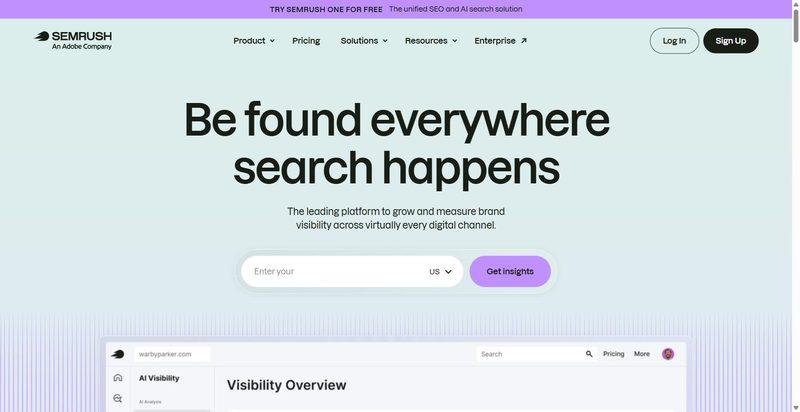
Semrush Site Audit is the crawler you already own if you live in Semrush for keyword and competitive research.
Best for: teams that want technical auditing folded into the broadest all-round SEO platform.
Standout feature: Site Audit runs around 140 technical checks and groups them into thematic reports, crawlability, HTTPS, Core Web Vitals, internal linking, so you work one theme at a time. Its real advantage is context: the audit sits beside the largest research dataset here.
Pros:
- Places the audit next to deep keyword, competitive, and PPC data.
- Groups issues into thematic reports you can tackle in sequence.
- Runs on demand or on a schedule with clear dashboards.
Cons:
- The audit can feel secondary to the platform, and the volume of reports can overwhelm.
- Per-seat costs are high on Guru and above; it’s the priciest all-in-one entry here.
Pricing:
Pro $139.95/mo ($117.33/mo annual, 100K pages/mo); Guru $249.95/mo (300K pages/mo); Business $499.95/mo (up to 1M pages/mo).
Where it lands:
If Semrush is already your research home, the audit is a capable tool you’re not paying extra for. As a reason to buy the platform on its own, the crawl doesn’t carry the argument.
Where each tool lands
If you’re choosing one of these SEO audit tools and you want it to change what your team actually does, start with SE Ranking. It’s the one built so a crawl ends in an ordered, explainable, shareable fix list rather than a document that ages in a folder.
Skip Screaming Frog as your only audit tool if nobody will turn raw crawl data into priorities; it’s a specialist’s instrument. And think twice about buying Ahrefs or Semrush for the audit alone: both are strong, but you’re paying for a full platform, and the crawl isn’t the reason either exists. No single tool wins every workload. Shortlist two or three, run one site through each, and keep the one whose report you’d actually put in front of a client on a Thursday.
Frequently asked questions
How do you run an SEO audit that clients act on?
Start from impact, not completeness. Crawl the site, sort findings by likely traffic effect, and hand the top handful to whoever can ship them this week. The best SEO audit tools do this ordering for you and attach a plain-language fix to each issue, so the report becomes a task list rather than a document to admire.
Do free SEO audit tools miss anything the paid ones catch?
Free tiers, from Screaming Frog’s 500-URL cap to browser-based checkers, are fine for a spot check on one page or a very small site. They fall short on scale, JavaScript rendering, scheduled re-crawls, and shareable reporting. For a recurring website SEO audit across several client sites, a paid tool tends to pay for itself in saved hours.
How much does an SEO audit cost in 2026?
Two prices hide in that question. A one-off audit bought as a service typically runs from a few hundred to several thousand dollars, scaling with site size and depth. Running your own with an SEO audit tool is a subscription instead: roughly $99 to $140 a month for a capable all-in-one, and less for a specialist desktop crawler.
Can an SEO audit tool help with AI search visibility?
Indirectly, and it matters more each quarter. AI answers now mediate a large share of discovery, and with clicks on links inside AI Overviews increasingly scarce, technical health and clean structure decide whether your page is even eligible to be cited. An audit that fixes rendering, speed, and markup is table stakes for AI visibility.