
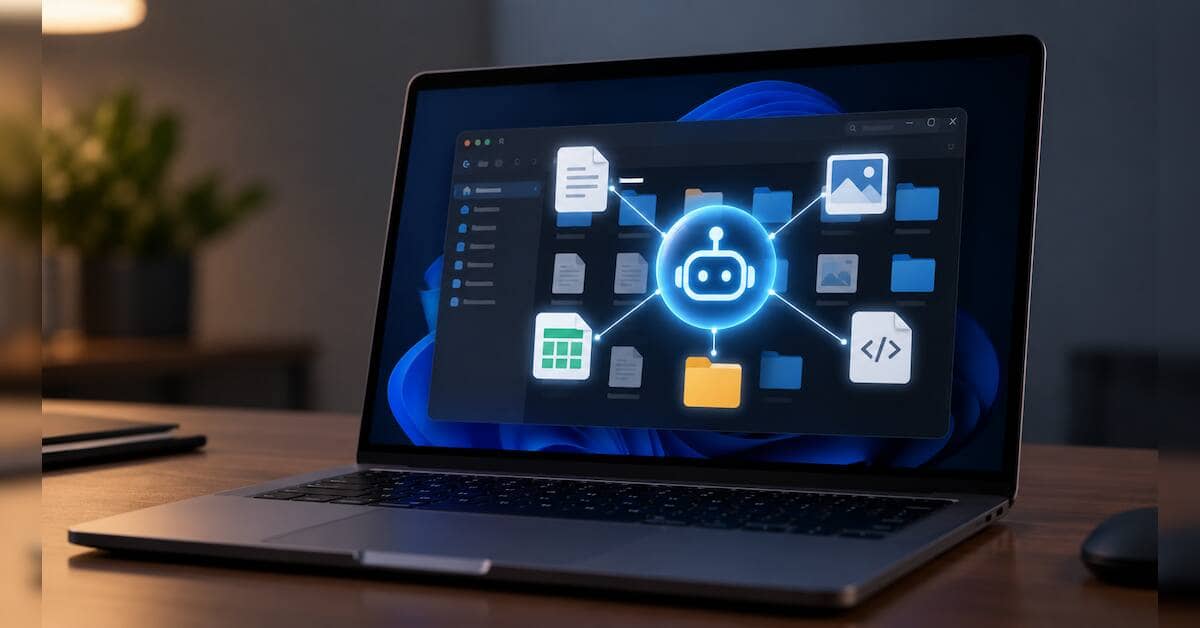
Apple will introduce additional controls for applications seeking full disk access on macOS. Announcing the update, the company said it will add controls requiring users to take more explicit action before granting permission. Apple has not announced a release date or specified exactly how the new controls will work, but it acknowledged that the change is needed because some developers are using full disk access in ways that can expose files, mail, messages and browsing history without users fully understanding the scope of access. Apple also linked the change directly to the rise of AI agents that can act on a computer with less user intervention.
The change raises a broader question for desktop operating systems: what should an AI agent be allowed to do when it is running on the same computer as a human user?
What full disk access allowed before
Full disk access was created for cases where an application needs access beyond the normal macOS privacy boundaries. Apple cites backup software as one reason for the permission.
Under the existing system, a user can go to System Settings — Privacy & Security — Full Disk Access and add an application. Apple describes the permission as allowing access to all files on the computer, including data belonging to other applications such as Mail, Messages and Safari, Time Machine backups and some administrative settings.
This is different from the more granular Files & Folders controls. Those allow access to specific locations such as Desktop, Documents and Downloads and can be switched on or off for individual applications.
There was therefore already a distinction between an application asking for access to one folder and an application receiving access across the computer.
Full disk access was the broad exception.
It was also not an ordinary permission that an application could silently grant itself. Apple says an application cannot obtain full disk access through an entitlement or code. The user has to grant it through System Settings.
The problem is what happens after that decision.
A backup application that has full disk access may need to inspect files across the storage device. An AI agent can use the same permission to read information, interpret it and then take actions based on what it finds.
What prompted Apple to act now
Apple’s announcement came after concerns over desktop AI agents and their ability to access private information.
One recent dispute involved Meta’s Muse. According to a Reuters report, a technology journalist claimed that Muse had accessed private Messages content without clear permission. Meta disputed the claim, saying users have to enable both full disk access and the Messages connector for Muse to read Messages.
Apple did not say that the Muse incident was the reason for its announcement. It did, however, publish the change days after the controversy and specifically cited the risks posed by increasingly autonomous AI agents.
Apple’s concern is broader than one application. Once an agent has access to a large part of a computer, the risk is no longer limited to what the application developer originally intended.
An agent can read a document, search other files, inspect information from applications and use what it finds to perform another task. A mistake, malicious instruction or compromised tool can therefore have a wider effect than it would in a conventional application.
What Apple is changing
The important point is that Apple has announced a change but has not yet described the final mechanism.
The company said it will introduce additional controls so that users who want to give an application full disk access must take “very explicit user action”. Apple also said it wants users to understand the risks before granting access.
Apple has not said whether that will mean a new confirmation screen, additional authentication, a warning about the types of information that could be exposed or another mechanism. It has also not said when the change will arrive.
So, the change should not yet be described as Apple replacing full disk access with a new granular permission system. The announcement establishes a new consent requirement, but the implementation is still unclear.
Why AI agents change the permission problem
Traditional desktop applications generally wait for a user to perform an action.
An image editor opens when a user wants to edit an image. A backup application scans storage according to its backup rules. A document editor works on files selected by the user.
An agent can operate across several steps.
A user might ask an agent to find an invoice, check an email, compare it with a spreadsheet and prepare a reply. To complete that task, the agent may need access to files, applications, a browser and communication tools.
The distinction between what the application can access and what the AI can do with that access therefore becomes important.
Full disk access answers the first question. It does not, by itself, determine whether an AI model should be able to delete a file, send an email or change a system setting.
That is the gap operating systems now have to address.
Does Windows have a similar system?
Windows does have controls for AI components and is also developing a separate security model for AI agents, but these are not the same as macOS full disk access.
Currently, Copilot+ PCs running Windows 11 have an AI Components section in System Settings. This is limited to native system packages and hardware-integrated models used by Windows features. It allows users to see the AI components powering features such as Cocreator in Paint and Generative Erase in Photos, and uninstall individual AI components.
However, this does not cover every AI model running on a Windows PC. Local models such as Google Gemma or Nvidia Nemotron, when run through AI orchestration platforms such as LM Studio Bionic, Ollama or OpenClaw, do not appear in the AI Components settings.
That distinction matters because the operating system may know about an AI component built into Windows, but not necessarily about a model that a user has downloaded and is running through a third-party application.
Microsoft is also developing dedicated agent accounts and agent workspaces for Windows 11. An agent can operate under a separate standard account instead of directly using the signed-in user’s account. Microsoft says the agent starts with limited permissions and can receive access to resources that the user explicitly provides.
The agent workspace is designed to give the agent a separate environment in which to work, limiting its access to the user’s desktop activity.
Microsoft is also working on contained Model Context Protocol (MCP) servers that run under a separate agent account. These are designed to prevent an agent from accessing the user’s files, settings, credentials or active applications unless access is granted.
For now, however, these controls are part of Microsoft’s developing agent security framework. They should not be confused with the AI Components settings already available on Copilot+ PCs.
What happens when an AI agent runs locally?
Running an AI model locally does not automatically give it access to the entire computer.
There are two separate parts to consider: the model and the agent environment.
The model generates responses or decides which tool to use. The agent software determines which tools are available and what those tools can access.
LM Studio Bionic provides an example. A model can run locally on the PC, while access to local files is controlled separately through the working environment. When coding capabilities are enabled, Bionic can search files, edit them, use Git and run shell commands within the selected working directory.
The same distinction applies to MCP. An MCP server can connect a model to external tools and local resources. This means the model itself may not have direct access to a computer’s file system, but the tools connected to it can provide that access.
LM Studio also warns that MCP servers configured to access the file system or private data can create security risks.
This means local AI does not mean isolated AI. A model can run entirely on the PC and still be given tools that allow it to read, change or execute things on that computer.
OpenClaw shows what broader agent access looks like
Granting permissions to a local AI agent through OpenClaw is more explicit.
During the Windows setup process, OpenClaw offers three profiles: Read-only, Standard and Full access. Read-only access allows the agent to see the screen and device information without running commands. Standard adds capabilities such as running commands, editing files and using speech-to-text and text-to-speech. Full access adds capabilities such as camera, location and browser control.
The setup also allows individual capabilities to be adjusted. A user choosing Full access can still enable or disable permissions for system commands, files, clipboard access, screen capture, camera and other capabilities.
The controls can also be set differently for individual functions. For example, location access can be set to always allowed while screen capture can be set to Ask every time.
OpenClaw also runs its agent through Windows Subsystem for Linux (WSL), a feature in Windows that lets Linux software run alongside regular Windows applications without installing a separate computer or operating system. In OpenClaw’s case, WSL provides the environment in which the agent runs, while Windows controls access to capabilities such as screen capture, the microphone and location.
The result is a stack of permissions rather than a single switch. There is the model, the agent framework, the tools connected to it, the local environment in which it runs and, finally, the operating system permissions governing what those tools can reach.
Why this matters beyond full disk access
The Windows and local AI examples show the different approaches emerging. Microsoft is working on separate accounts and workspaces for agents, while platforms such as OpenClaw give users controls over individual capabilities. LM Studio, meanwhile, separates the local model from the tools that can give it access to files and other resources.
These controls also show why the permission model around AI agents cannot be treated as a single setting. An agent may need access to a file for one task, the browser for another and the screen for a third. The ability to approve or restrict those actions becomes important when the agent is allowed to carry out several steps without waiting for the user.
Apple’s full disk access change is one response to this problem. The company has not yet detailed how the new controls will work, but it has made clear that the existing permission model needs to account for AI agents and the way they can use access to a Mac.











Leave a Reply