
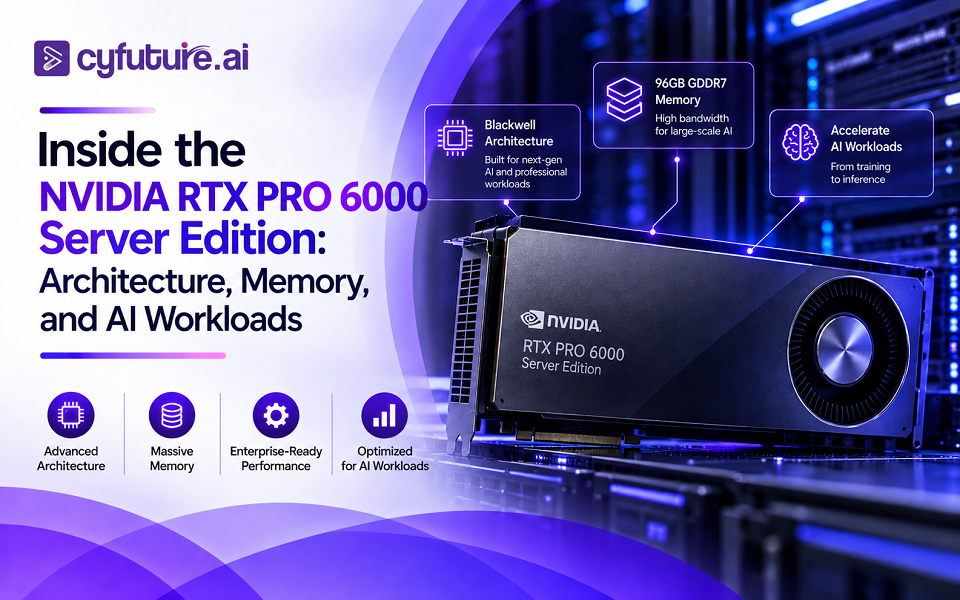
AI infrastructure is moving beyond traditional CPU-centric servers. As enterprises adopt generative AI, computer vision, simulation, digital twins, and accelerated analytics, the GPU has become a central component of modern data center architecture.
The NVIDIA RTX PRO 6000 Blackwell Server Edition is designed for this transition. It combines Blackwell architecture, 96GB of GDDR7 ECC memory, high memory bandwidth, advanced Tensor and RT Cores, and server-oriented power and cooling characteristics.
Unlike GPUs designed primarily for desktop workstations, the Server Edition is built for deployment inside enterprise servers and data center environments where density, reliability, virtualization, and sustained workloads matter.
What Is the NVIDIA RTX PRO 6000 Server Edition?
The NVIDIA RTX PRO 6000 Blackwell Server Edition is a professional GPU based on NVIDIA’s Blackwell architecture. It is positioned for AI inference, fine-tuning, rendering, simulation, professional visualization, video processing, and other compute-intensive workloads.
The GPU provides:
- 24,064 CUDA Cores
- 188 fourth-generation RT Cores
- Fifth-generation Tensor Cores
- 96GB GDDR7 ECC memory
- 512-bit memory interface
- Up to 1,597 GB/s memory bandwidth
- PCIe Gen 5 x16 connectivity
- Configurable power up to 600W
- Passive cooling for server deployment
NVIDIA positions the platform as part of its broader RTX PRO Server strategy, bringing professional graphics and AI acceleration into enterprise data center infrastructure.
Blackwell Architecture: More Than a GPU Upgrade
The RTX PRO 6000 Server Edition is built on NVIDIA’s Blackwell architecture, which introduces improvements across AI computation, graphics, memory, and efficiency.
For AI workloads, the Tensor Cores are particularly important. Modern models increasingly rely on lower-precision computation to improve throughput while maintaining acceptable accuracy. Blackwell’s Tensor Core architecture is designed to accelerate these workloads across different numerical formats.
The GPU delivers up to:
- 4 PFLOPS FP4 performance
- 2 PFLOPS FP8 performance
- 1 PFLOP FP16/BF16 performance
- 234 TFLOPS TF32 performance
- 120 TFLOPS FP32 performance
These figures illustrate why the GPU can serve multiple workload classes rather than being limited to conventional graphics or visualization.
96GB GDDR7: Why Memory Capacity Matters
GPU compute performance is only one part of the equation.
For large AI models, memory capacity can determine whether a workload fits on a single GPU, needs model parallelism, or requires a larger multi-GPU architecture.
The RTX PRO 6000 Server Edition provides 96GB of GDDR7 ECC memory connected through a 512-bit memory interface. Its memory bandwidth reaches approximately 1,597 GB/s.
This combination is particularly useful for workloads involving:
- Large AI inference models
- Fine-tuning
- Computer vision pipelines
- Generative AI
- Large datasets
- 3D rendering
- Engineering simulation
- Digital twins
The use of ECC memory is also significant for enterprise deployments where data integrity and long-running workloads are important.
Memory Bandwidth Is Becoming a First-Class Metric
AI workloads frequently move large quantities of data between GPU memory and compute units.
A GPU with high computational throughput but insufficient memory bandwidth can become constrained by data movement rather than arithmetic performance.
The RTX PRO 6000’s 1,597 GB/s memory bandwidth therefore complements its large memory capacity. For memory-intensive inference, rendering, and simulation workloads, this can be as important as raw FP32 performance.
This is one reason GPU selection should not be based on CUDA core count or peak FLOPS alone.
Multi-GPU Infrastructure Changes the Equation
The value of the RTX PRO 6000 Server Edition becomes more apparent when multiple GPUs are deployed within a server.
An eight-GPU configuration can provide:
- 768GB of aggregate GPU memory
- Up to 12.8TB/s of aggregate memory bandwidth
The actual performance of a multi-GPU system, however, depends on much more than simply adding GPU specifications together.
Host CPU capability, PCIe topology, networking, storage performance, and workload communication patterns all influence real-world results.
For distributed AI workloads, the surrounding server architecture can therefore become just as important as the GPUs themselves.
Where the RTX PRO 6000 Fits in AI Infrastructure
The GPU is particularly interesting because it sits between traditional professional visualization hardware and dedicated high-end AI accelerators.
AI Inference
Inference workloads often require predictable latency and sufficient GPU memory.
The 96GB memory configuration provides room for larger models and workloads that would otherwise require model partitioning across multiple devices.
This can be valuable for enterprise AI applications such as:
- Large language model inference
- Retrieval-augmented generation
- Computer vision
- Speech and multimodal AI
- AI-assisted enterprise applications
Fine-Tuning and Model Development
Fine-tuning can place significant demands on GPU memory because models, activations, gradients, and optimizer states may all consume memory.
The RTX PRO 6000’s large memory pool can make it suitable for selected fine-tuning and development workloads, particularly where professional visualization or mixed AI workloads are also required.
Physical AI and Simulation
AI is increasingly being integrated with physical environments.
Robotics, industrial simulation, digital twins, autonomous systems, and engineering workflows require a combination of GPU compute, graphics capabilities, and visualization.
This is an area where a professional RTX architecture can offer advantages beyond conventional AI acceleration.
Rendering and Professional Visualization
The RTX PRO 6000 also retains a strong graphics-oriented feature set.
Its RT Cores and professional RTX capabilities make it suitable for:
- Real-time rendering
- 3D visualization
- CAD and engineering applications
- Digital twins
- Product design
- Media and entertainment workloads
This creates an important distinction from infrastructure designed exclusively around AI training.
MIG and GPU Resource Partitioning
Enterprise environments often need to share GPU infrastructure between multiple applications or users.
The RTX PRO 6000 Server Edition supports NVIDIA Multi-Instance GPU (MIG), allowing the GPU to be divided into isolated instances.
With supported configurations, the GPU can provide up to four isolated 24GB instances.
This can improve resource utilization when workloads do not require the entire GPU.
For example, instead of dedicating a complete 96GB GPU to a relatively small inference service, infrastructure teams can allocate a smaller isolated GPU partition and use the remaining capacity for other workloads.
This makes virtualization and workload consolidation important considerations when designing GPU cloud or enterprise infrastructure.
What Does the Server Infrastructure Need?
A 600W-class GPU cannot simply be inserted into a conventional server and treated like another PCIe expansion card.
Infrastructure must be designed around the GPU’s electrical, thermal, and mechanical requirements.
Key considerations include:
Power
The server must provide sufficient power capacity for sustained GPU operation while leaving adequate headroom for CPUs, memory, storage, networking, and other components.
Cooling
The Server Edition uses a passive cooling design intended for server environments. This means the host system must provide appropriate airflow and thermal management.
As GPU density increases, cooling becomes a facility-level design consideration rather than merely a server component issue.
PCIe Architecture
PCIe Gen 5 x16 provides the high-speed host interface required by modern GPU workloads.
Server designers must also consider PCIe lane availability, NUMA topology, CPU-to-GPU affinity, and the placement of storage and networking devices.
Why the RTX PRO 6000 Matters for Enterprise AI
The larger trend is more important than the specification sheet.
Enterprise infrastructure is becoming increasingly heterogeneous. Organizations are no longer running only databases, web applications, or traditional HPC workloads. The same infrastructure may need to support AI inference, visualization, simulation, video analytics, and conventional enterprise applications.
The RTX PRO 6000 Server Edition addresses this convergence.
Its combination of:
- Large GPU memory
- High memory bandwidth
- AI acceleration
- Professional graphics
- ECC memory
- MIG support
- Server-oriented deployment
allows enterprises to build infrastructure capable of handling multiple classes of accelerated workloads.
The Infrastructure Around the GPU Still Matters
Buying a powerful GPU does not automatically create a high-performance AI platform.
Storage must deliver data quickly enough to keep accelerators productive. Networking must handle distributed workloads. CPUs must feed the GPUs efficiently. Power systems must support sustained demand, while cooling infrastructure must remove the resulting heat.
This becomes increasingly important as organizations deploy multiple GPUs per server and increasingly dense racks.
The real performance of an AI infrastructure platform is therefore determined by the complete system—not simply by the GPU model.
Final Thoughts
The NVIDIA RTX PRO 6000 Blackwell Server Edition represents a broader shift in enterprise computing: GPUs are becoming general-purpose acceleration platforms for AI, simulation, visualization, and data-intensive applications.
Its 96GB GDDR7 ECC memory, 1,597 GB/s memory bandwidth, Blackwell architecture, Tensor Cores, RT Cores, and multi-instance capabilities make it a flexible option for organizations looking beyond traditional CPU infrastructure.
For enterprises evaluating GPU servers, however, the right question is not simply “How powerful is the GPU?”
The more important question is whether the GPU, server, networking, storage, power, cooling, and software stack are engineered as one system.
That is where the difference between a GPU purchase and a scalable AI infrastructure strategy begins.











Leave a Reply