Open two exports from the same brief and ask which model, reference set, ratio, length, and seed produced each one. If the answer lives only in someone’s memory, the workflow has already lost its debugging trail. A developer evaluating a video generator ai should begin with a run manifest, because prompt text captures only one part of the effective input. Reproducibility starts by recording the variables that can change the render.
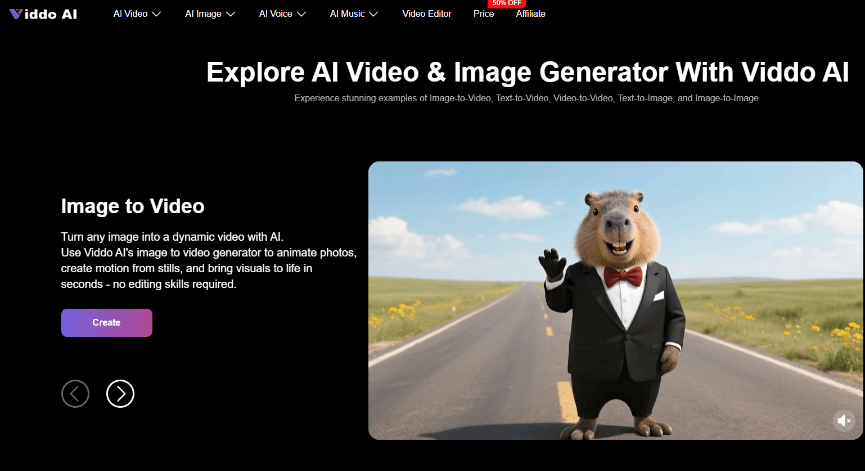
The better engineering model is a small generation pipeline. Viddo AI exposes the important stages in one place: choose a model, enter instructions or upload media, set the relevant parameters, and generate.
Treating those stages as an input contract gives designers and developers a shared way to repeat a useful result without pretending that generative output is deterministic.
Chapters
Define The Output Contract Before Opening Models
A reproducible workflow begins with the destination file, not with a model name. Before choosing a video generator ai, the contract should say where the video will run, how long it may be, which subject must stay recognizable, what text must remain outside the generated footage, and which failures require a new attempt. This keeps the technical setup connected to a real delivery requirement.
Do not over-specify taste. “Warm, modern, premium” creates arguments because every reviewer can read it differently. “Nine-by-sixteen, one centered product, no generated labels, and a stable final two seconds for an added caption” produces checks that survive a handoff.
Record Inputs That Change The Render
The run record should include only causal inputs: model, prompt version, uploaded references, ratio, resolution, requested length, and seed state when available. A filename can carry a brief ID and version, while a short note stores the settings. The team does not need to capture every click or copy the whole interface.
This record saves time when a review fails. If a face becomes warped after a new movement instruction, the team can return to the previous prompt and keep the same references. Without the record, the entire setup is guessed again and the rework spreads beyond the failed variable.
Prepare Reference Media For One Clear Job
Reference files should have assigned roles. One image may define the character, another the product shape, and a short video the camera movement. Uploading a folder of attractive material without those roles pushes unresolved decisions into the model. It also makes later diagnosis nearly impossible because the team cannot tell which reference the generation followed.
The displayed Seedance 2.0 workflow provides reference capacity for images, videos, and audio. ByteDance describes Seedance 2.0 as accepting text, image, audio, and video inputs through a unified multimodal architecture. That breadth is useful when the brief truly needs several kinds of control. It is not a reason to fill every slot.
Clean every source before it enters.
Crop away irrelevant people, logos, captions, and background objects when they are not part of the instruction. A reference with three competing subjects creates three plausible interpretations. If a product color must stay fixed, use a source where lighting does not hide it. If an audio reference defines rhythm, do not also ask it to define dialogue unless the workflow explicitly needs both.
Rights review belongs here as well. A technically reproducible pipeline can still reproduce a rights problem. Record who supplied each source and whether it is approved for the intended use before the media reaches generation.
Run The Site Workflow In A Fixed Order
A fixed order reduces accidental changes. It does not guarantee identical output; it guarantees that the team can explain the request that produced each output. Four steps are enough for the public Viddo AI workflow.
Step One Select The Model For The Failure
Choose according to the hardest requirement in the clip. If the scene needs synchronized sound, do not judge a silent route by visual quality alone. If several reference assets define composition and motion, use a model route that supports those inputs. Write the reason beside the model name so a later switch has a technical purpose.
Step Two Enter One Versioned Instruction
Write the subject, action, setting, camera behavior, and exclusions in plain language. Viddo AI also offers Generate With AI to expand simple keywords into a fuller prompt. If that assistance changes the instruction, save the resulting version. Otherwise the team may think it repeated a prompt when the effective text was different.
Step Three Set Parameters And Save Run Records
Choose ratio for the target surface, resolution for the review or delivery stage, and length for the story beat. More settings do not automatically create more control. Every parameter that is changed without a delivery reason becomes another possible cause when the result fails.
Click Generate and keep the result with its run record. Inspect at the final crop, not only inside the creation panel. An unreadable object label or a subject drifting out of the safe area may remain hidden in the larger preview and appear only after the file is placed in the destination layout.
Use Seed Lock For Controlled Series Changes
Series work needs a way to keep style and character appearance as consistent as possible while changing one scene instruction. The displayed Viddo AI workflow includes a Seed control. Locking it creates a seed value for the first generation; keeping it locked applies that value to the next generation, while updating the value starts a fresh direction.
This is a practical control, not an identity guarantee. The review should still inspect the face, clothing details, product geometry, lighting, and camera distance. A locked seed helps narrow the change surface. It does not make a generated subject immune to drift.
The run manifest for a video generator ai should preserve the accepted references and seed state while one meaningful instruction changes. A failed sequel can then be traced to a smaller difference. Switching the model, prompt, references, ratio, and seed together may create a more exciting clip, but it removes the evidence needed to repeat the accepted look.
Diagnose Failures At The Correct Pipeline Stage
Not every bad result is a prompt problem. Teams waste hours rewriting adjectives when the source image, parameter choice, or model route caused the visible defect. A short diagnostic sequence keeps rework close to the stage that introduced it.
- If the subject is wrong from the first frame, inspect the references and their assigned roles.
- If framing fails only after placement, inspect ratio and safe-area assumptions.
- If motion ignores the intended beat, inspect the action order and chosen model route.
- If later clips drift from an accepted character, inspect seed state and every changed input.
- If generated text is unreadable, move critical wording to the editing layer instead of spending more attempts on decorative luck.
A discarded render should leave one useful fact behind. “Rejected because the pack label melted during the turn” tells the next operator what to watch. “Did not look good” sends the pipeline back to opinion and makes the same failure likely to return.
Reproducibility Makes Creative Iteration Easier To Defend
A shared Viddo AI workspace can reduce tool switching by keeping several media and model routes together. The engineering value appears when the team adds a modest input contract around that convenience. A versioned prompt, named references, delivery-critical parameters, and seed state give each render a traceable origin.
The goal is controlled iteration rather than identical pixels on demand: preserve what passed, change what failed, and explain why another generation was necessary. That discipline keeps designers free to explore while giving reviewers a reliable path back to the decisions behind the file.