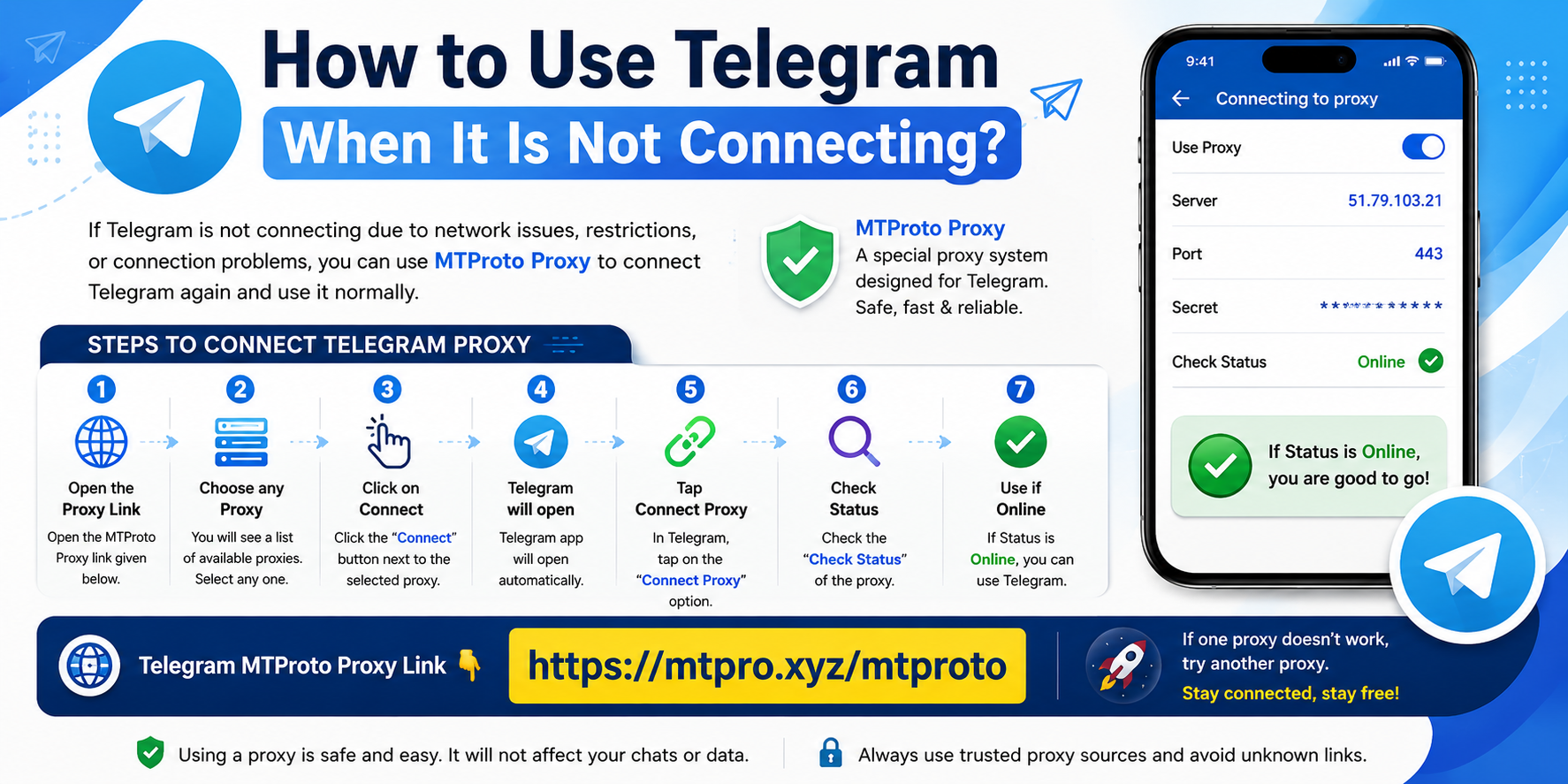
Telegram may sometimes fail to connect because of network issues, restrictions, or connection problems. Using an MTProto Proxy can help you connect Telegram again.
Follow these steps:
- Open the Proxy link given below.
- Select any available Proxy from the list.
- Click the Connect button.
- Telegram app will open automatically.
- Press Connect Proxy in Telegram.
- Check the Proxy status.
- If it shows Online, Telegram is ready to use.
Telegram Connect ആവാത്തവർക്ക് Proxy ഉപയോഗിച്ച് Telegram പ്രവർത്തിപ്പിക്കാം
ചില സമയങ്ങളിൽ Telegram തുറക്കാൻ കഴിയാത്തത്, മെസ്സേജ് പോകാത്തത്, അല്ലെങ്കിൽ കണക്ഷൻ പ്രശ്നങ്ങൾ വരുന്നത് നെറ്റ്വർക്ക് നിയന്ത്രണങ്ങൾ, ISP പ്രശ്നങ്ങൾ, അല്ലെങ്കിൽ സെർവർ കണക്ഷൻ കാരണങ്ങളാൽ ആയിരിക്കാം. ഇത്തരം സാഹചര്യങ്ങളിൽ MTProto Proxy ഉപയോഗിച്ച് Telegram വീണ്ടും കണക്റ്റ് ചെയ്യാൻ സാധിക്കും.
MTProto Proxy എന്നത് Telegram-നായി രൂപകൽപ്പന ചെയ്ത ഒരു Proxy സംവിധാനമാണ്. ഇത് ഉപയോഗിച്ച് കണക്ഷൻ പ്രശ്നങ്ങൾ ഉള്ള സമയത്തും Telegram ഉപയോഗിക്കാൻ സാധിക്കും.
Telegram Proxy എങ്ങനെ Connect ചെയ്യാം?
- താഴെ നൽകിയിരിക്കുന്ന Proxy ലിങ്ക് തുറക്കുക.
- അവിടെ ലഭ്യമായ Proxy ലിസ്റ്റിൽ നിന്ന് ഏതെങ്കിലും ഒരു Proxy തിരഞ്ഞെടുക്കുക.
- Connect എന്ന ബട്ടണിൽ ക്ലിക്ക് ചെയ്യുക.
- ക്ലിക്ക് ചെയ്താൽ Telegram App ഓപ്പൺ ആകും.
- Telegram-ൽ വരുന്ന Connect Proxy ഓപ്ഷൻ തിരഞ്ഞെടുക്കുക.
- Check Status എന്ന ഭാഗത്ത് Proxy Status പരിശോധിക്കുക.
- Status Online ആണെങ്കിൽ Proxy വിജയകരമായി Connect ആയിട്ടുണ്ട്.
ഒരു Proxy പ്രവർത്തിക്കുന്നില്ലെങ്കിൽ മറ്റൊരു Proxy തിരഞ്ഞെടുക്കാം.
Telegram MTProto Proxy Link 👇
🔗 Click Here to Connect Telegram Proxy:
https://mtpro.xyz/mtproto
Telegram Proxy, MTProto Proxy, Telegram Not Connecting, Telegram Problem Fix, Telegram Tips, Telegram Online, Internet Tips