
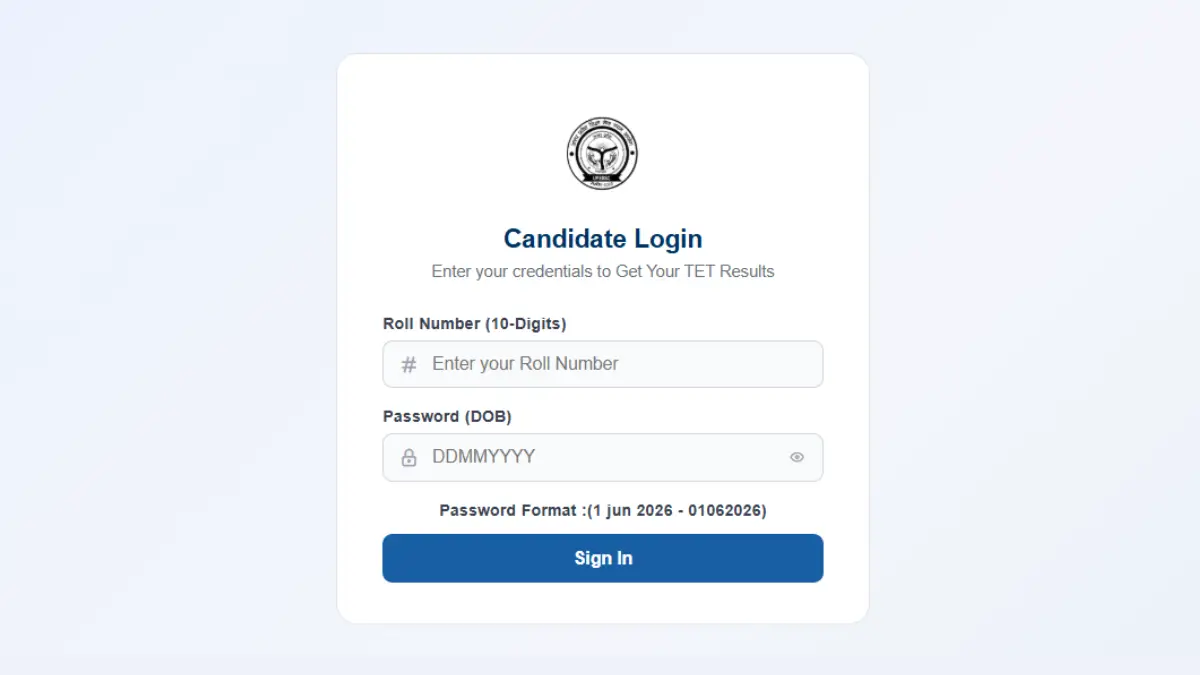
UPESSC announced the UPTET Result 2026 for both Paper 1 and Paper 2 on 26 August 2026. Candidates who sat for the exam on 2, 3, and 4 July 2026 can now log in and download their UPTET 2026 scorecard from the commission’s official website, upessc.up.gov.in.
A total of 571,435 candidates cleared Paper 1 (Classes 1 to 5) out of 713,648 who appeared, putting the pass rate at 80.07%. In Paper 2 (Classes 6 to 8), 759,513 out of 1,057,021 candidates made the cut, a pass rate of 71.85%. Successful candidates will be issued the UPTET Eligibility Certificate, valid for life, which opens the door to teacher recruitment drives across Uttar Pradesh. It’s advisable to save both the result and scorecard right away, as they’ll be needed at multiple points later.
The Uttar Pradesh Education Service Selection Commission has removed the UPTET 2026 result, declared on 26 August, from its official website, though candidates can still access it through DigiLocker. Commission PRO Dr. Sanjay Kumar Singh clarified that as per standard practice, every exam result stays on the website for only one week, and UPTET 2026’s result was taken down under this same routine process. He added that linking its removal to any revision or change in the result would be incorrect.
UPTET Result 2026 Out
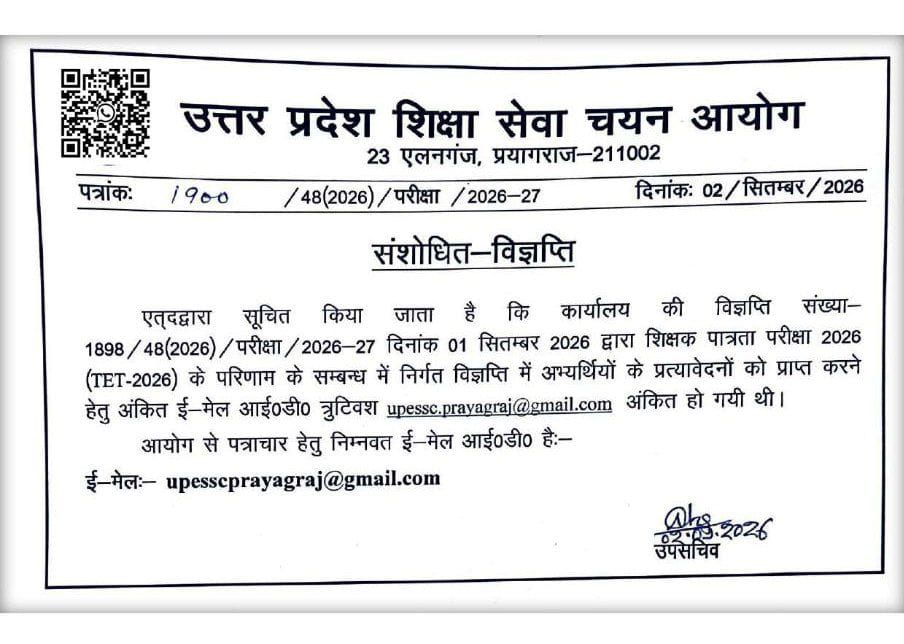
The UPTET Result 2026 was declared by the Uttar Pradesh Education Service Selection Commission (UPESSC) on August 26, 2026 for Paper 1 and Paper 2. In the latest update dated September 2, 2026, UPESSC issued a revised notice clarifying an email-ID error in its earlier notification related to the UPTET 2026 examination. The Commission stated that the email ID mentioned in the September 1 notice for receiving candidates’ applications had been printed incorrectly and has now been corrected to upessc.prayagraj@gmail.com. The revised notice has been issued under letter no. 1900/48(2026)/परीक्षा/2026-27. This update is an administrative correction and does not indicate any change in the already declared UPTET Result 2026.
UP TET Result 2026: Overview
| Particulars | Details |
|---|---|
| Exam Name | Uttar Pradesh Teacher Eligibility Test (UPTET) |
| Conducting Body | Uttar Pradesh Education Service Selection Commission (UPESSC) |
| Exam Dates | 2, 3, and 4 July 2026 |
| Exam Mode | Offline (Pen-and-Paper Based, OMR) |
| Result Status | Released |
| Result Date | 26 August 2026 |
| Levels | Primary (Class 1–5), Upper Primary (Class 6–8) |
| Certificate Validity | Lifetime |
| UPTET Cut Off | Out |
| Official Website | upessc.up.gov.in |
UPESSC UPTET Result PDF Download Link
Candidates can use the direct link given below to check their UPTET 2026 result without any delay. This link takes candidates straight to the login page of the result portal on upessc.up.gov.in. Keep the roll number and date of birth ready before clicking on the link.
How to Check UPTET Exam Result 2026?
Checking the UPTET 2026 Result is a simple online process. Candidates need to follow a few basic steps on the official website to view and download their scorecard. Keep the login details ready before starting the process. Follow the steps mentioned below.
- आधिकारिक वेबसाइट पर जाएं: अपने डेस्कटॉप या मोबाइल ब्राउज़र पर UPESSC की आधिकारिक वेबसाइट upessc.up.gov.in खोलें।
- रिजल्ट लिंक खोजें: होमपेज पर Candidate Updates सेक्शन में दिए गए “UPTET Result 2026 / Scorecard Download” लिंक पर क्लिक करें।
- लॉगिन विवरण दर्ज करें: अपने एडमिट कार्ड पर दिए गए रोल नंबर/रजिस्ट्रेशन नंबर और जन्म तिथि/पासवर्ड दर्ज करें।
- रिजल्ट डाउनलोड करें: विवरण सबमिट करने के बाद आपकी स्क्रीन पर UPTET 2026 के अंक प्रदर्शित होंगे। अपने विषयवार अंकों की जांच करें और भविष्य में शिक्षक भर्ती के लिए उपयोग हेतु Download PDF पर क्लिक करके रिजल्ट की कॉपी सेव कर लें।
How to Retrieve Forgotten UPTET Login Details?
Candidates who forget their login credentials for the UPTET 2026 result can still recover access through the official website. The commission provides an option to retrieve details using registered information. Do not attempt multiple wrong logins, as this may lock the account temporarily. Follow the steps below to recover your credentials.
- Go to the official website upessc.up.gov.in.
- Click on the “Forgot Password” or “Forgot Registration Number” option.
- Enter your registered mobile number or email ID.
- Verify using the OTP sent to your registered contact.
- Reset your password and log in again.
- Check and download your result after successful login.
Info you require during retrieval of your login credentials, such as Your Full Name, Date of Birth, Registered Mobile Number, and registered email ID
UPTET Result Analysis 2026
The UPTET Result 2026 was declared on 26 August 2026, revealing the level-wise performance of candidates. The Primary Level recorded an 80.07% pass percentage, while 71.85% of candidates qualified at the Upper Primary Level. Check the complete result analysis below.
| Level / Category | Total Candidates Appeared | Candidates Qualified | Pass Percentage |
|---|---|---|---|
| Primary Level (Classes 1–5) | 7,13,648 | 571,435 | 80.07% |
| Upper Primary Level (Classes 6–8) | 10,57,021 | 7,59,513 | 71.85% |
| Working Teachers (Primary Level) | 1,22,405 | 93,387 | 76.29% |
| Working Teachers (Upper Primary Level) | 1,46,394 | 1,13,384 | 77.45% |
Details Required to Check UPTET Result 2026
To check and download your UPTET 2026 result and scorecard PDF from the official website, you need the following primary login credentials:
- Registration Number / Roll Number
- Password OR Date of Birth (DD/MM/YYYY)
- Security Captcha Code (displayed on the login page)
Details Mentioned in UPESSC UPTET Scorecard 2026
The UPTET scorecard carries several important details related to the candidate and their exam performance. Candidates should check every detail carefully after downloading the scorecard. Any mismatch in personal details should be reported to the commission immediately. Below is the list of details mentioned on the scorecard.
- Candidate’s name and roll number
- Father’s and mother’s name
- Date of birth
- Category
- Paper (Paper 1 or Paper 2)
- Subject-wise marks obtained
- Total marks and qualifying status
- Photograph and signature
UPTET Minimum Qualifying Marks
| Category | Qualifying Marks (out of 150) | Percentage |
|---|---|---|
| General | 90 | 60% |
| OBC | 82 | 55% |
| SC | 82 | 55% |
| ST | 82 | 55% |
| PwD | 82 | 55% |
UPTET Scorecard 2026 Out
Candidates need two separate online platforms to get their complete UPTET documentation after the result. The first platform gives immediate access to marks, while the second platform provides the final certificate needed for job applications. Both steps are necessary, and skipping either one can create problems during recruitment later. Follow the steps below to download from the official website.
- Open the official UPESSC website.
- Go to the Result or Notice Board section on the homepage.
- Select the Scorecard Download link.
- Log in using your Registration Number and Date of Birth or Password.
- Enter the captcha code and click Submit.
- View, download, and print your scorecard for safekeeping.
UPTET Eligibility Certificate
Qualified candidates will receive an official UPTET Eligibility Certificate issued by UPESSC. As per NCTE guidelines and state norms, the certificate is valid for a lifetime. Candidates can use this certificate to apply for the upcoming Super TET and primary and upper-primary teacher recruitment in Uttar Pradesh.
How to Download the UPTET Eligibility Certificate from DigiLocker?
The UPTET Eligibility Certificate can be downloaded digitally through DigiLocker once it is uploaded by the concerned authority. Candidates can access it using their registered details by following these steps:
- Visit the DigiLocker website or mobile app and log in with your Aadhaar-linked mobile number.
- Go to Search Documents and select Uttar Pradesh as the issuing state.
- Search for UPTET Certificate/Marksheet.
- Enter the required details, such as UPTET roll number and examination year.
- Click on Get Document to access your certificate.
- Download and save the UPTET Eligibility Certificate for future reference.
What’s Next After the UPESSC UPTET Result 2026?
After the UPTET result declaration, candidates need to follow a set process to secure their certificate and plan the next step in their teaching career. Each stage matters, from downloading the scorecard to applying for future recruitment. Follow this step-by-step guide below.
- Download the Scorecard: Log in to upessc.up.gov.in and download the UPTET scorecard PDF right after checking the result.
- Verify All Details: Check name, roll number, category, and marks carefully on the scorecard for any printing or data errors.
- Report Discrepancies: Contact the commission immediately through official channels if any personal or exam detail is incorrect.
- Save Multiple Copies: Keep both a digital copy and a printed copy of the scorecard, as this certificate holds lifetime validity.
- Wait for Certificate Issuance: Track the official website for the UPTET certificate, which is issued after the result and used as proof of eligibility.
- Track Recruitment Notifications: Follow upcoming vacancies under UP TGT, UP PGT, and Super TET, as UPTET qualification is mandatory for these posts.
- Prepare for Document Verification: Keep the scorecard and certificate ready, as recruitment boards ask for them during the verification stage.
- Plan for Reattempt (If Not Qualified): Candidates who do not clear the cut-off can start preparing early for the next UPTET cycle.
- UP Super TET / Assistant Teacher Recruitment: More than 50,000 vacancies are expected in primary and upper primary government schools. Candidates with UPTET Paper 1/2 or CTET, along with the required D.El.Ed/B.Ed qualification, may be eligible.
- UP TGT & PGT Recruitment: Recruitment is expected for TGT and PGT posts in aided secondary schools. Eligibility will depend on the subject and post, with qualifications such as a relevant Bachelor’s/Master’s Degree and B.Ed.
- UP LT Grade Teacher Recruitment: UPPSC is expected to release recruitment for LT Grade Teacher posts in government secondary schools. Candidates must meet the subject-wise educational requirements mentioned in the official notification.











Leave a Reply